I finally got my eyes on Nvidia G-Sync Pulsar, and it's a major gaming upgrade
Pulsar is pretty visible to the naked eye


When the gaming industry starts to boast about world-firsts and huge steps forward on the graphical and performance side of things, it often pays to be a little suspicious. After all, we're now decades into the process of every little innovation being hyped as the next big thing.
Nestled in among its announcements at CES this year, for instance, I thought I was relatively safe to not think much of Nvidia talking about G-Sync Pulsar, a new display technology. Its claims about motion smoothing sounded good, but I can't say that motion clarity has ever been a major hangup of mine, least of all on a top-end monitor like the Sony InZone M9 II I use for most of my gaming (with 160Hz refresh rate).
This past week, though, at an event Nvidia held in central London, I was plopped in front of one of the newest generation of monitors – one that features Nvidia's Pulsar tech. Well, blow me down if it wasn't an immediately visible and impressive improvement.
Nvidia had the monitor side-by-side with another not featuring Pulsar, and ran two instances of a strategy game, Anno 117: Pax Romana, on identical settings from identical gaming PCs. Scrolling around the map on both games at the same time (ironically a great way to compare blurring, despite the static nature of the genre) made it easy to see how they stacked up.
The older version of G-Sync is still terrific with a powerful rig and high refresh rate monitor, to be sure, but there's no doubt that Pulsar does indeed clean up the clarity of on-screen objects in motion. Buildings, icons, landscape details and more were all easier to track, and stayed in focus while in motion in a way that could really clearly be seen and appreciated.
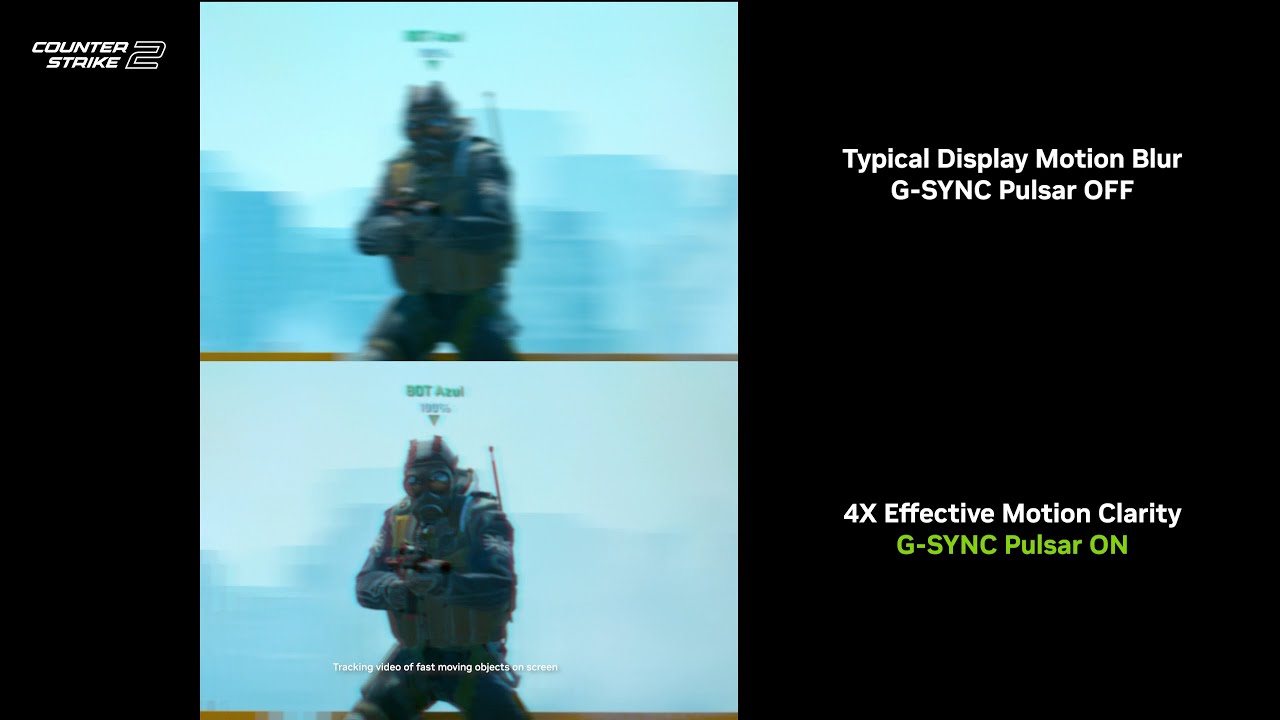
It didn't even need any slow-motion or similar tricks to work, and had me immediately wanting to sit down and play something like Counter-Strike 2 for a few hours to see just how smooth something could look in a real-world setting.
Perhaps the most impressive part of this is that, unlike many of the other advancements Nvidia's brought to the table recently, this isn't just a software change (like the arrival of a 6X multiplier for multi-frame generation, coming soon to existing 50-series RTX cards).
G-Sync Pulsar will only work on certified panels, not because of licensing shenanigans alone, but because it actually requires a new display to work. Rather than pulsing the whole display at one time like a traditional display refresh, it divides the thing up into seconds and pulses them at the same time, at carefully varied rates to avoid visible flicker.
This makes for output that technically isn't a different refresh rate, but means that motion clarity looks the same as a way higher refresh rate – going from 360Hz you can get up to over 1,000Hz in perceived refresh rate.
I'd normally agree with the idea that once you're over 120Hz, you get diminishing returns from pushing into higher refresh and frame rates, and I still think that's true for most people. Still, seeing the clarity of G-Sync Pulsar in person, it was hard not to be won over by the concept.
Give it a few years, and I'd hope it could do huge work in mid-tier and lower-end monitors, rather than the ultra-enthusiast quartet so far announced (from MSI, AOC, Acer and Asus). Until then, I'll be counting down until I can get one in to test at greater length, since I was genuinely impressed.
