Nothing just gave its phones extra super powers – here's when it's coming to your device
Android 17 arrives on Nothing phones, with a few extras


Quick summary
Nothing has announced the roll-out of Nothing OS 5.0 based on Android 17. It brings a range of changes and additions across the device.
The open beta starts immediately on the Nothing Phone (3), with support back to the Nothing Phone (2a) coming over the next few months.
Nothing has started the roll-out of its latest update, bringing Android 17 to its phones in the form of Nothing OS 5.0. Along with updates on the Google side, there are a full selection of features for Nothing phone owners to enjoy.
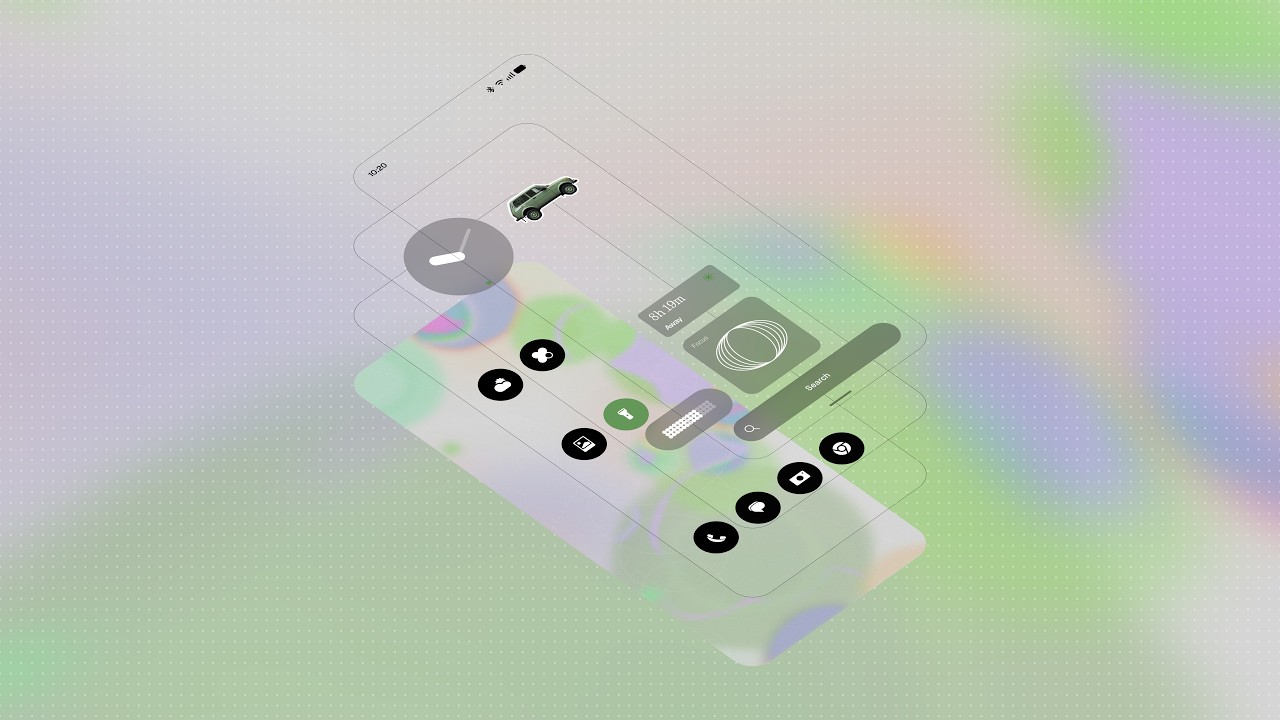
That starts with increased customisation, including the home screen and lock screen. That brings transparent details, while there are colour tints linked to your wallpaper, automatically changing when you pick a new background image.
There's an new clock for the lock screen, as well as micro graphics filled with your essential information, so you can catch-up at a glance. There are also better depth effects for wallpapers.
Editing the home screen is now easier, while there's the introduction of new widgets - Collector and Away Time - the latter tracking the time you're not actually using your phone. The new dedicated Glyph app will help you access all the related settings quickly and in one place.
There's a new font - Geist - while new icons and spacing in the settings should make things clearer, while the status bar gets a little love too with new animations and icons.
The notifications and quick settings have been split into separate panels, a common features of Chinese phones that's now more widely available in Android. If you don't like it, you can stick to the single pane that I've always found more convenient.
Nothing says that OS 5.0 makes its phones smoother and faster, while there are also updates to Essential Voice to make it faster and cleaner while Essential Space gets some tweaks too.
There are changes to the camera, Quick Share, Gallery and more, in what looks like a comprehensive update for Nothing Phone.
When will you get Nothing OS 5.0?
Nothing has confirmed that the open beta for the new software starts on 26 August 2026 with the Nothing Phone (3), its current flagship device. The roll-out is split into two phases, with the open beta slowly opening up for Nothing phone owners, followed by general release of the final software a couple of months later.
The update will start with the Nothing Phone (3) and be available for devices back to Nothing Phone (2a) from 2024. Older devices are no longer supported.
Here's the timeline for the deployment of Nothing OS 5.0:
| Row 0 - Cell 0 | Open beta |
General release |
Phone (3) |
26 August |
Mid October |
Phone (4a) Pro |
Early September |
Early November |
Phone (4a) |
Late September |
Early November |
Phone (3a) Pro |
Late September |
Early November |
Phone (3a) |
Late September |
Early November |
Phone (2a) |
Mid October |
Mid November |
Phone (2a) Plus |
Mid October |
Mid November |
Phone (3a) Lite |
- |
Late December |
Phone (4b) |
Mid December |
Mid January |
CMF Phone 2 Pro |
- |
Mid January |
