Nintendo Switch review: the BigN knocks it out of the park
The Nintendo Switch, partners a superb gaming pedigree with stylish, premium-grade hardware.

The Nintendo Switch delivers a truly unique gaming experience, both in terms of its play at home and on the go hardware, and in terms of its exclusive, top-tier games. Par for the course for Nintendo, then. However, its surprisingly stylish design, premium look and feel, as well as better than usual third party support, help take the Nintendo Switch to an even higher level, making the Switch an essential purchase for gamers of any age.
-
+
Innovative design
-
+
Premium look and feel
-
+
Attractive price point
-
+
Superb first party titles
-
-
Not as powerful as PS4 or Xbox One
-
-
Third party support isn't great
Why you can trust T3 Our expert reviewers spend hours testing and comparing products and services so you can choose the best for you. Find out more about how we test.


Any Nintendo Switch review will have to start off by saying that literally everyone and anyone can enjoy the Big N's most popular console. I won't try and convince you to buy one here, because this piece of kit truly does speak for itself.
When it first launched, it was so in-demand that Nintendo had to double the production run to keep up. And no wonder when it has titles like The Legend of Zelda: Breath of the Wild and Super Mario Odyssey under its belt.
The question isn't so much should you buy a Nintendo Switch, but more which Nintendo Switch should you buy?

Sitting at the top of the range is the Nintendo Switch OLED, it's new for 2021 and improves on this one with a bigger, brighter screen. Then on the cheaper end, there's the Nintendo Switch Lite which is a handheld only version that you can't hook up to your TV.
Whichever one you go for or whoever you're buying for, the Nintendo Switch is a crowd-pleaser, it's a console that your whole household can enjoy together which is what makes it so fantastic.
- Breaking! Nintendo Switch OLED screen burn-in warning officially addressed by Nintendo
- Best Nintendo Switch games
- Nintendo Switch news and updates
If you want a quick takeaway from this Nintendo Switch review, though, then this is it - Nintendo Switch is an innovative, stylish and fun video game console. It's not overly expensive, it looks and feels premium, and it offers a handheld option within the same slick package.
Simply put, the Nintendo Switch is combination of everything we loved about the Wii, Wii U and Nintendo 3DS. The whole family, big or small, will love it.
Naturally, it isn't as powerful as the PS4 and Xbox One, so can't deliver the same fidelity of graphics, but you don't need it to be. This console is all about getting together and having fun.
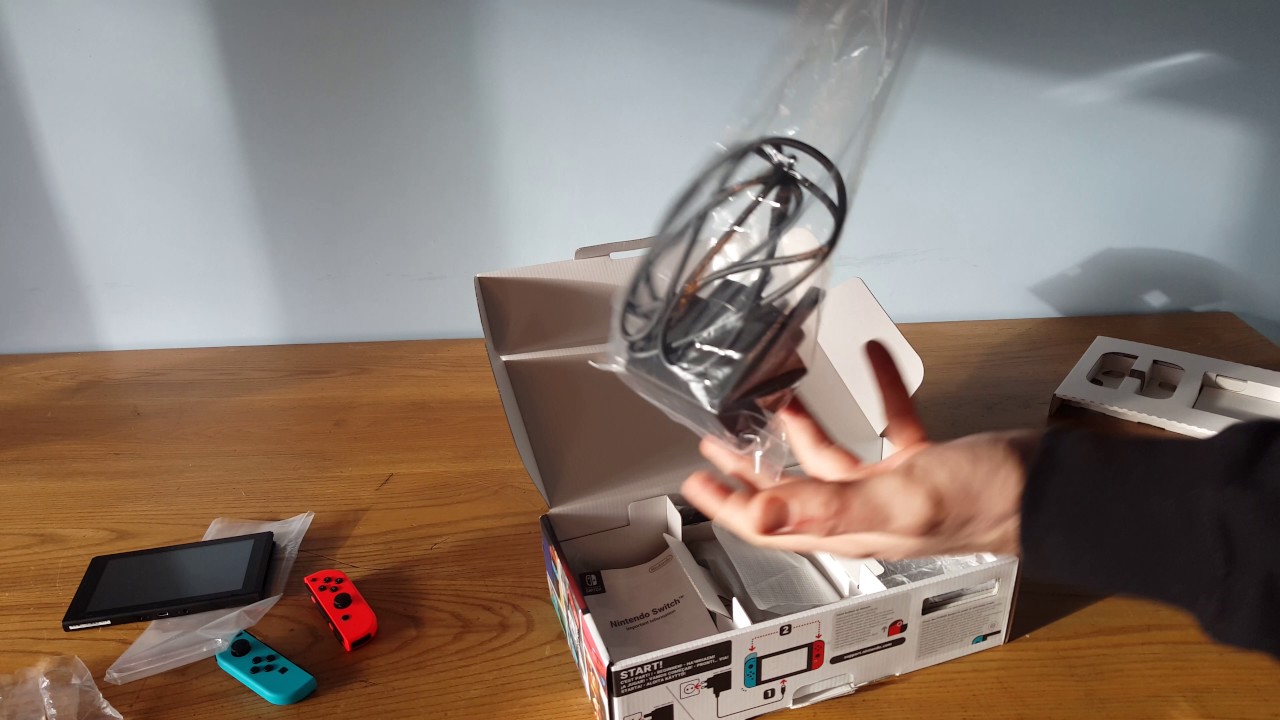
Get a taste for the Nintendo Switch in this unboxing video...
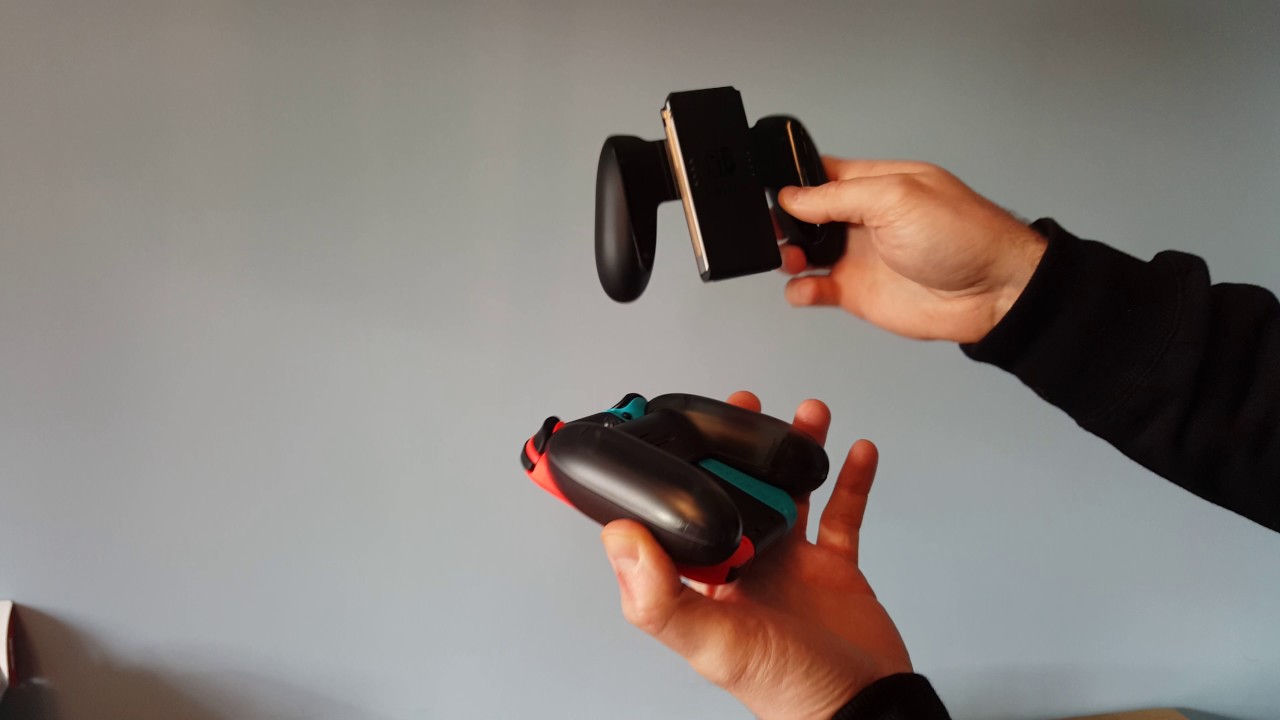
And, for those interested in taking a closer look at the Nintendo Switch Pro Controller, as well as Nintendo Switch Joy-Con Charging Grip, then you can also watch T3's Nintendo Switch Accessories Unboxing video too:
Nintendo Switch review: what you get in the box

The Nintendo Switch comes in a compact, rectangular cardboard box, with Nintendo Switch and its Joy-Con controllers, as well as its dock, shown on the front and back. On one side of the box you get images of the Nintendo Switch being used in its various different play modes.

Open the box and you are greeted immediately with a cardboard tray. In the tray you find both left and right Joy-Con controllers (in your colour scheme of choice; we had Neon Red and Neon Blue), as well as the Switch itself. Both the controllers and Switch come in clear plastic baggies. Removing the Switch and Joy-Con controllers is easy, leaving you next to remove the top cardboard tray.

Remove the tray and you are greeted with a partitioned lower cavity with three main compartments. In the left compartment you get the Nintendo Switch's AC adapter, a HDMI cable for hooking the console up to your TV of choice, as well as the obligatory instruction booklet.
In the central compartment you can find the bundled Joy-Con controller grip (this is the non-charging variety), as well as two Joy-Con wrist straps, while in the right partition you get the Nintendo Switch dock. Grip, dock, AC adapter and cables all come in clear plastic baggies.
Nintendo Switch review: design and build quality

First thing you notice when you pick up the Switch is how heavy and premium the build quality feels (Switch console weight = 297g). Unlike the Wii U's gamepad, which had a plasticky lightness to it that never really convinced, the Nintendo Switch and Joy-Con controllers are all glass, metal and composite, communicating a sense of quality and expense whenever they are in the hand. In Handheld Mode with the Joy-Con controllers slotted into the system this is doubly so; while the look of the Switch, both close up and from afar, is just lovely.
What then grabs you next is how crisp and rich the Nintendo Switch's 6.2-inch, 1280x720 capacitive touch screen is. From the menu screens to playing games, the visuals pop with a clarity that if you are used to 3DS or Wii U visuals, are an order of magnitude more impressive and really hammer home that this really is a super powerful gaming system when taken handheld. Sure, it isn't as powerful as a home console when put up against behemoths like the PS4 Pro, however as a portable, handheld, slotted in your backpack or pocket console, it certainly is, outstripping rivals.

On the rear of the Nintendo Switch is the Tabletop Mode's kickstand, which is located on the rear-bottom-left of the system. The stand when not in use sits flush to the system and is flipped out by merely lifting from the bottom with a fingernail. In a solid design choice, the Nintendo Switch's microSD card slot is located under the kickstand. In use the kickstand is surprisingly good at ensuring the Nintendo Switch stays upright, with no nudges or small bumps causing it to become unbalanced and fall over. Indeed, from T3's testing you would have to severely knock the system for this to happen.

As mentioned in T3's hands on review (which can be found by scrolling down the page), slotting in and taking out the Joy-Con controllers to and from the Nintendo Switch is incredibly straight forward, with a sliding motion from the top down culminating in a satisfying click noise, and a small, rear-mounted button on each Joy-Con allowing detachment with an upward slide.
In terms of buttons and ports, the Nintendo Switch has a top-mounted power button, volume up and down buttons, headphone port, game cart port, as well as a bottom-mounted USB Type-C charging port and brace of stereo speakers. As aforementioned, the system's microSD card slot is located underneath the kickstand on the rear of the Switch, with microSD, microSDHC and microSDXC cards supported.
The Joy-Con controllers have typical video game controller layouts with twin thumbsticks and X,A,B,Y button-style configs, however the left one also comes with the Nintendo Switch photo button, which allows you to instantly take screenshots in games and have the images saved to the system's storage (32 GB as standard, although some of that is taken up by system files; screenshots can also be transferred off the system).
Nintendo Switch review: dock and cabling

The Nintendo Switch dock is made out of plastic and, unlike the Switch, is rather light. Slotting the Nintendo Switch into and out of the dock is easy and, much to our approval, seems to be designed so that screen scratches are not an issue, with the dock port securely holding the Switch well clear of the dock's interior walls.

At the back of the dock lies a flip-down plastic door, which once dropped down allows access to three ports: an AC adapter port, HDMI port and USB port. Slot in the bundled cables, and you can then neatly rout the cables out of a hole in the back plate, making it easy to both hide the cables and maintain a clutter-free environment.

Accessories, such as the Joy-Con Charging Grip and Nintendo Switch Pro Controller (see below) can be connected to the Nintendo Switch dock via one of three USB ports, with one located in the rear cavity, as well as two others installed in the dock's left hand end. Obviously, neat freaks may not want to use the exterior ports all the time as wires very visibly extend out of the side of the dock, however when multiple players all need a wired connection these extra ports become invaluable.
Nintendo Switch review: accessories and controllers

And, talking of accessories, the Nintendo Switch has some. With our review unit we were supplied with three of them, a Nintendo Switch Joy-Con Charging Grip, a Nintendo Switch Pro Controller, and a separate Nintendo Switch AC adapter. Other accessories exist too, such as the Nintendo Switch Joy-Con Wheel, Nintendo Switch Accessory Set and additional Joy-Con controller sets, however at the time of writing we have not managed to take a look at them.

The Nintendo Switch Joy-Con Charging Grip is almost identical to the Joy-Con Grip bundled with the Nintendo Switch console apart from the fact that it features a top-mounted charging port, allowing users to keep playing with the Grip controller even when the Joy-Cons have no battery, and also that its handles are made from a dark transparent plastic rather than a matte black one.
Seeing how similar the two Grip controllers were was a little disappointing as it made us wonder why Nintendo couldn't have included the Charging Grip as standard, however you can obviously keep playing with the Joy-Cons connected to the Switch and, in all honesty, you'd need to play for many hours straight without any charging to run the Joy-Cons down to a level where you'd have to stop playing this way.

The Nintendo Switch Pro Controller is similar to the Wii U's Pro Controller, however now has a slightly wider, more rectangular build. The controller is also made from transparent black plastic rather than the Wii U's shiny black plastic. It is largely business as usual for a video game console controller after that however, with the standard thumbsticks and buttons, though there is the Switch's built-in photo button as seen on the Joy-Cons.
The AC adapter is identical to the one you get bundled in with the console.
Nintendo Switch review: verdict

We see a lot of technology here at T3 Towers, so we like to think we know quality when we see it, and the Nintendo Switch hardware has that for sure. The system itself is pleasingly weighty and feels robust and well-made in the hand. Equally the Joy-Con controllers feel great in the hand too and have shed the plasticky feel of the Wii and Wii U's controllers, communicating the sense that Nintendo Switch is not simply a toy for children.
The dock, while light and made out of plastic, is well designed and is incredibly functional. Would we have liked the base of the dock to feel sturdier? Yes, we would, as too would we have liked the bundled Joy-Con Grip Controller to be the Charging Grip variety, however both of these points are minor hardware gripes at best.
The big takeaway from our time reviewing the Nintendo Switch hardware, however, is that our hot take back in January was definitely on the money - that the Nintendo Switch has not only got the build quality to succeed but the style and pizzazz also. Nintendo Switch has an almost intangible, indescribable X factor that could see it become one of Nintendo's best selling consoles to date.
Of course, top hardware can only take you so far in the video game industry though, so T3 for one will be eagerly anticipating that hardware style transforms into long-lasting and diverse video game substance.
For more information on Nintendo Switch then check out Nintendo's official website.
T3 will periodically update this review to reflect future developments, both in terms of hardware and software releases.
Nintendo Switch: News, Updates
April 9, 2019 - Right now the Nintendo Switch is available new from Amazon for £266, which is a welcome decrease over its launch price. Nintendo itself are selling the system for a tenner more at £279, while you can get a used system on eBay with a few games for around £200 if you shop around. As ever, though, with Nintendo hardware and software, prices are slow to drop.
In terms of Nintendo Switch games, there are more than ever before in 2019, although the pace of blockbuster titles has slowed down somewhat as of late (specifically after Super Smash Bros. Ultimate arrived late last year), with admittedly fantastic ports and remastered re-releases of past greats taking their place. The indie game scene remains a strong suit for the handheld console, though, with a plethora of games to buy and play in the Nintendo eShop.
Recent rumours about a follow-up Nintendo Switch 2 console also seem to have died down as of late, if not been quashed totally, with rumours from earlier this year indicating that we could see the new system later on in 2019. Nintendo are naturally being very tight-lipped about a successor to the Switch, which has been a hit, however slowing sales of the console may force its hand to hit investor targets.
What follows is T3's previous coverage of the Nintendo Switch, including the exciting Nintendo Switch UK Premiere, which was held back in January 2017. For an exclusive walk-around video of the UK Premiere event then scroll down.
Nintendo Switch UK Premiere
Earlier today Nintendo held its Switch launch event in Tokyo, Japan, where the company proceeded to fully unveil the console and its upcoming gaming library and software. If you didn't catch the presentation then it's well worth a watch, as Nintendo spoke in much detail about the experience the Nintendo Switch offers and, naturally, there was a number of video rundowns, specifications and game trailers.
Full lowdown on all the Nintendo Switch games

Mere hours later, T3 is reporting live from the exclusive Nintendo Switch press event in London, England, where selected media has been invited to come and go hands on with the new hybrid system. What follows is T3's initial, hands on impressions of the Nintendo Switch, as well as some of the notable games it is launching with. A full review will then follow closer to the system's launch date of March 3, 2017.
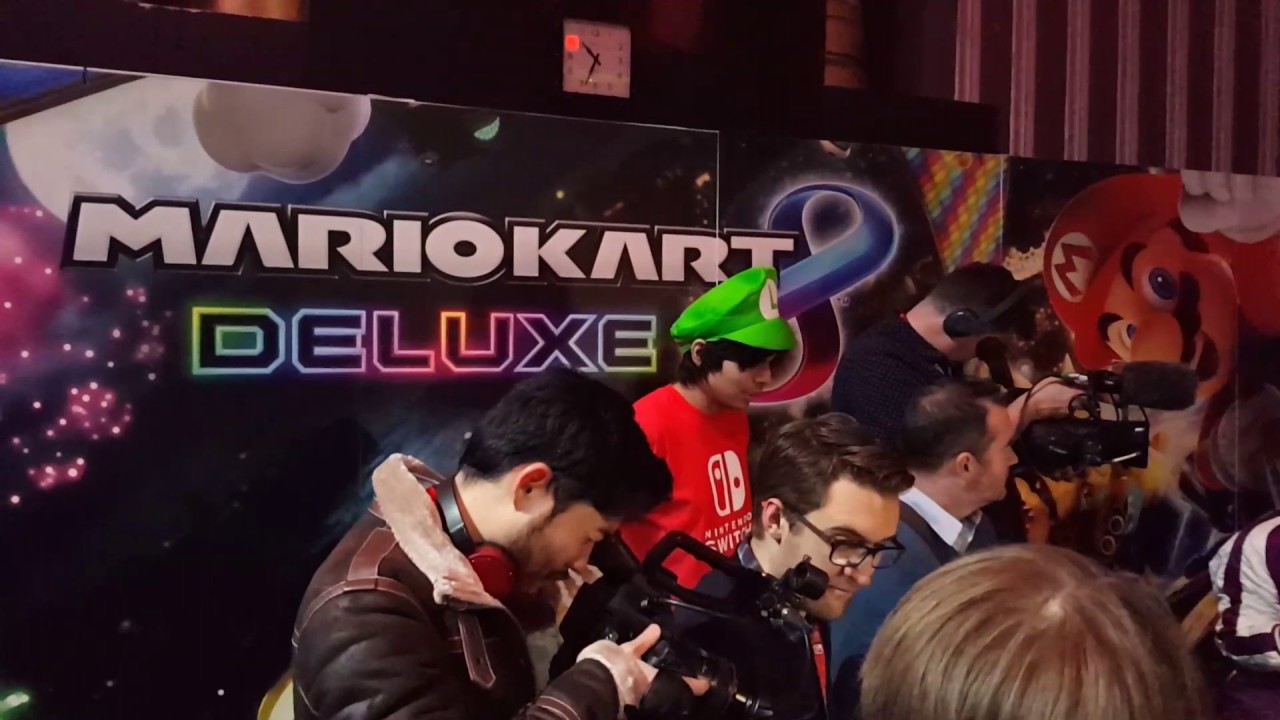
Before we get started, however, come take a look inside the launch event now with this walk-around video:
Nintendo Switch specifications
The Nintendo Switch is set to launch in the UK on March 3, 2017, for a retail price of £279.99. The system will be available in two standard configurations. The first includes the Nintendo Switch console, Nintendo Switch dock, Nintendo Switch Joy-Con controller in grey, Nintendo Switch controller straps and a HDMI cable. The second configuration is identical to the first, however it features a red and blue coloured Joy-Con controller instead.
Other themed Nintendo Switch docks, Joy-Con controllers and straps will also be available at a later date, including the already leaked Legend of Zelda: Breath of the Wild iteration.

The Nintendo Switch console itself features a 6.2-inch capacitive multitouch display with a 720p resolution of 1280 X 720. As such, when the console is being used in handheld or tabletop mode, games run at up to 720p. When the system is slotted into its dock, however, games run at up to 1080p instead.
In addition, the launch edition of the Switch comes with 32GB of internal storage and a maximum battery life of 6 hours. Nintendo has confirmed though that battery life is game-dependent, with anywhere between 2.5 to 6 hours possible.
Right now no other official hardware specifications have been released for the system.
Nintendo Switch console and dock

First thing we noticed after picking up the Nintendo Switch was how solid and well-built it felt. Unlike the Wii U's light and plasticky gamepad, the Switch felt high-end, with cold metal and glass making it feel re-reassuringly solid in the hand.
The dock too, while not exactly heavy, didn't feel lightweight and cheap, which is important as you don't want to drop £280 and then feel like you are docking your well-built console in something unfitting. The process of taking the Switch out of the dock and then re-inserting it was also very seamless, with the screens immediately switching from one to the other. We could also see no way the dock could scratch the Switch's screen through clumsy insertions or extractions.
While the experience on TV is as good as usual, it is when the console is taken portable that its main strength comes to the fore.
Nintendo Switch Joy-Con and Pro controllers

The Nintendo Switch works with two new controllers, the Joy-Con, which comes bundled with the system, and the Pro controller, which is a more traditional gamepad that retails separately.
The Joy-Con controllers attach and de-attach to side of the Nintendo Switch with two buttons, and can be used attached either side like a Wii U controller, detached and seperate like a Nintendo Wii remote, or connected together to form a gamepad for when gaming in tabletop or TV mode.
The Pro controller, which T3 used at the launch event, was fine if not something to write home about.

Each Joy-Con controller has an accelerometer and gyroscope for Wii-style motion control, as well advanced haptic feedback. Nintendo refer to this as "HD Rumble" and it allows the controllers to simulate a greater array of feedback experience than prior controllers.
Finally, the Joy-Con controller has an IR camera, individual shoulder buttons located on the inside of the controller to use when seperated for cooperative play, and a capture button for taking images and - later - videos in-game.
Here are the controller's dimensions:
Height: 102mm, Width: 35.9,mm, Depth: 28.4mm, Weight: Joy-Con (L) 49.3g, Joy-Con (R) 52.2g, Battery: Lithium Ion
Nintendo Switch games and software

Nintendo has revealed a number of games that are launch either alongside the Switch in March or later on through 2017. These titles include, but are not limited to, The Legend of Zelda: Breath of the Wild, Splatoon 2, Xenoblade Chronicles 2, Fire Emblem Warriors, Skyrim, Super Mario Odyssey, 1-2 Switch, Arms and Mario Kart 8 Deluxe.
The major launch title for the Nintendo Switch is The Legend of Zelda: Breath of the Wild, which both looks and plays spectacularly. Boasting a huge open world, the game features stylish cell-shaded graphics and all the classic locations, species, weapons and game mechanics the series is known for. Over the past few hours it has, without doubt, been one of the top draw titles at the Nintendo Switch London press event.

Super Mario Odyssey, despite not launching until the holiday season 2017, is arguably the other titanic title coming to the system this year. Featuring a Mario 64-style open world and control mechanics - there's even a magic hat that grants the portly Italian plumber special powers - from what we've seen here at T3 Towers it is without doubt going to be one of the games of Christmas 2017.
While Breath of the WIld and Odyssey are games in the traditional mold, 1-2 Switch and Arms are geared more towards social, motion control play with the Switch's Joy-Con controllers. The experience these titles deliver is fast and fun, leaning on the Nintendo Switch's emphasis on local as well as global multiplayer.
Nintendo Switch overall hands on impressions

While the Wii U was never as bad as it was made out to be, there's no denying that Nintendo needed to move on and move on in style. Nintendo Switch has that and then some. It's not a radical departure from its forebear, instead being more a sleeker refinement of an innovative idea - that you can remove the home console experience from a big screen TV. And that is, without doubt, achieved by the Nintendo Switch - it succeeds where the Wii U failed.
By offering not just one, or two, but three different - and very practical - ways to play games, in a variety of locations, and have the experience so unified and seamless, it is testament to the good work Nintendo started years back. It seems, at first glance that is, to combine the strengths of both its classic consoles, offering the traditional Nintendo software library, as well as the Wii U's second screen experience and the Wii's motion control magic.

Overall therefore, from what we played at today's UK launch event, the Nintendo Switch is looking surprisingly well-set to tackle the console war to come.
